
How do I install my WWVDS LiDAR sensor?
This article discuss how to install your GovComm WWVDS LiDAR sensor.
Procedure:
- Install the LiDAR Bracket and Junction Box
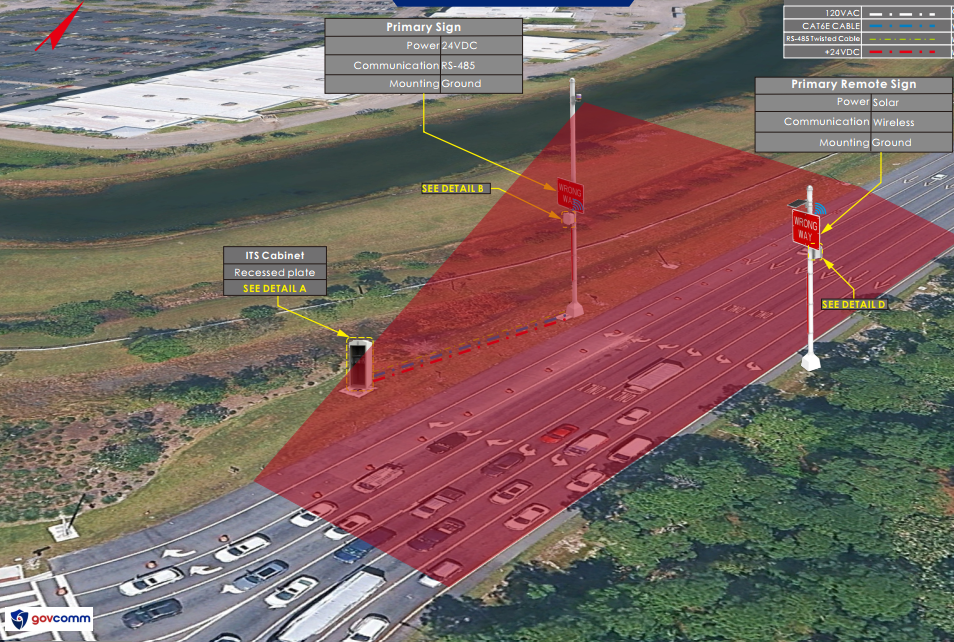
- Attach the provided LiDAR bracket and junction box as high as possible on the primary pole.
- Ensure bracket is facing towards the roadway that needs to be monitored by the LiDAR.
- Provide Power and Ethernet
- Run 24 VDC power and an Ethernet cable from the WWVDS system to the junction box.
- Connect Power and Ethernet
- Connect the 24 VDC power to the power connector inside the junction box.
- Connect the Ethernet cable to the RJ45 coupler.
- Install the LiDAR
- Attach the LiDAR unit to the LiDAR bracket.
- Connect the LiDAR power cable coming from the junction box.
- Point the LiDAR
- Position the LiDAR so that it is facing toward the roadway.
Contact GovComm Technical Support for assistance with the final LiDAR positioning and alignment.